


On this page
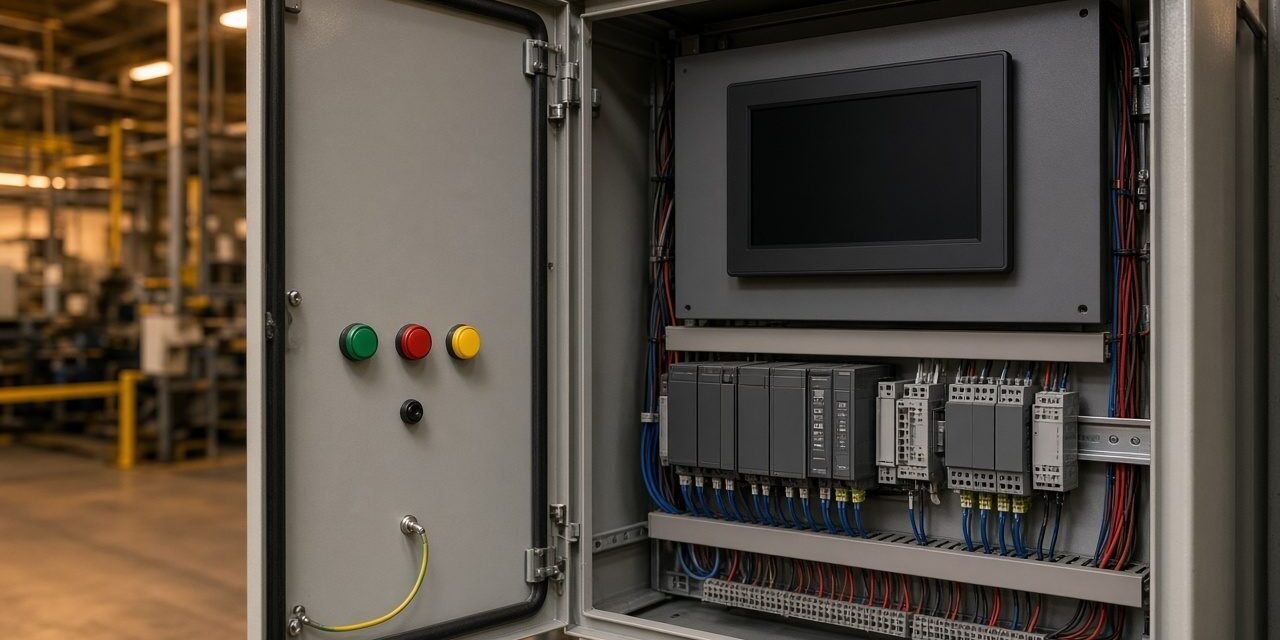
An automation system replaces a row of hand switches with a controller that reads sensors and drives the machines. The names are easy to mix up because they sit in one panel and one control room. This sheet separates the PLC, the HMI, the variable speed drive, and the SCADA, and says what each one is for on a plant.
What to map before any panel is built
- The sequence. What starts, what must be true before the next step, and what must stop the line immediately.
- The signals. Level, flow, pressure, temperature, and the digital inputs from valves, guards, and drives.
- Who operates it. A local screen on the machine, a control-room overview, or both.
- What else it must talk to. A building system, a historian, or a remote view. The protocol is chosen here, not after the panel is closed.
Four parts, four jobs
| What it is | What it does not do | |
|---|---|---|
| PLC | The controller. It runs the logic every scan: read inputs, decide, write outputs. | It is not the picture on the wall. A PLC can run with no screen at all. |
| HMI | The local screen. Operators start, stop, and read alarms on the machine. | It should not be the only place the logic lives. The PLC keeps the interlocks. |
| VSD (variable speed drive) | Feeds a motor at a chosen speed instead of only on or off. | It is not the process controller. It takes a speed command from the PLC. |
| SCADA | The supervisory view: many machines, trends, and alarms in one place. | It is a slow overview, not the safety stops. Those stay in the PLC. |
PSS builds the panels, writes the PLC logic, and commissions the drives and the screens. Remote viewing, where the site wants it, uses OPC UA or MQTT so a SCADA or a remote client can read the process without opening the controller to the office network unprotected.
Sensors are part of the system
A controller is only as true as its instruments. Level, flow, pressure, and temperature each need the right sensor, the right range, and a cable that does not pick up the drive’s noise. A wrong reading is not a “PLC fault”. It is the usual reason a newly commissioned loop hunts or trips.
Practical controls-engineering notes
- Write the sequence first. A cause-and-effect table should define permissives, interlocks, trips, manual mode, automatic mode, restart behaviour, and what happens after a power recovery.
- Separate control from safety. A red stop, guard switch, or pressure protection must not depend only on a graphic or a network packet. The risk assessment decides the safety circuit.
- Make analogue signals believable. Define scaling, engineering units, alarm limits, sensor failure behaviour, and a plausibility check before the value reaches the operator.
Commission each loop from the field device to the PLC, then to the HMI and SCADA. Force-testing a bit on a screen is not a field test. Record I/O names, PLC backups, drive parameters, network addresses, and the restore procedure so the system can be recovered after a controller failure.
Common problems and how to fix them
The screen says Running and the machine is stopped
The HMI is showing a command, not feedback. The motor contactor or the drive never confirmed it started. Display the feedback bit, and look for an interlock the PLC is holding: a guard, an overload, or a drive fault that the screen does not list.
A drive trips on start with no mechanical problem
Acceleration is too short, the motor data in the drive is wrong, or the supply dips when several drives start together. That last case is an electrical one: the feeder, the stabilizer, or the generator step, not the PLC program.
SCADA alarms flood the operator
Every input was given the same priority. Split alarms into those that stop the process, those that need a person this shift, and those that are only a record. A screen that shouts about everything gets ignored, including the real trip.
Frequently asked questions
Is SCADA the same as a BMS?
No. SCADA supervises an industrial process. A building management system supervises HVAC, lighting, and the services of a building. They can share data. They are not the same controller.
Can the HMI replace the PLC?
No. Some small screens include a little logic, and that is a trap on anything with interlocks. Keep the sequence and the safety stops in the PLC. Let the HMI display and accept commands.
Why specify the network protocol early?
OPC UA and MQTT are straightforward when the PLC and the network are chosen together. Adding them after the panel is built means extra gateways, and a control network that was never separated from the office LAN.
Talk to PSS about automation
PSS builds and commissions PLC, HMI, drive, and SCADA systems for process plants. Contact the PSS team to book a first site survey.
