


On this page
Cameras, access readers, a building controller, and the office computers all need a path. That path is the network: cable, fiber, switches, and a rack someone can work in later. This sheet is the short version of how that backbone is chosen, and why an unlabeled link becomes next year’s outage.
What to count before any cable is pulled
- The outlets. Not only desks. Cameras, readers, wireless access points, and controllers each take a port, and many of them take power from that port.
- The distance. Copper has a practical limit. Beyond it, the run is fiber, with a place to change back to copper if the device needs it.
- The rooms. A rack needs space, power, cooling, and a route that is not a ceiling nobody can open.
- Separation. The guest Wi-Fi, the cameras, and the office do not have to be one flat network because they share a switch.
Copper, fiber, and the rack
| Use it for | Watch | |
|---|---|---|
| Cat6 copper | Desks, cameras, readers, and access points on ordinary runs | Length, bends, and interference from power cables in the same tray |
| Cat6A copper | Higher-speed links, and runs where the environment is harsher | Thicker cable, larger bend radius, and the space in the containment |
| Multi-mode fiber | Short backbone links between racks in one site | The connectors and the transceivers have to match |
| Single-mode fiber | Long runs, and links between buildings | Different transceivers from multi-mode. They are not interchangeable |
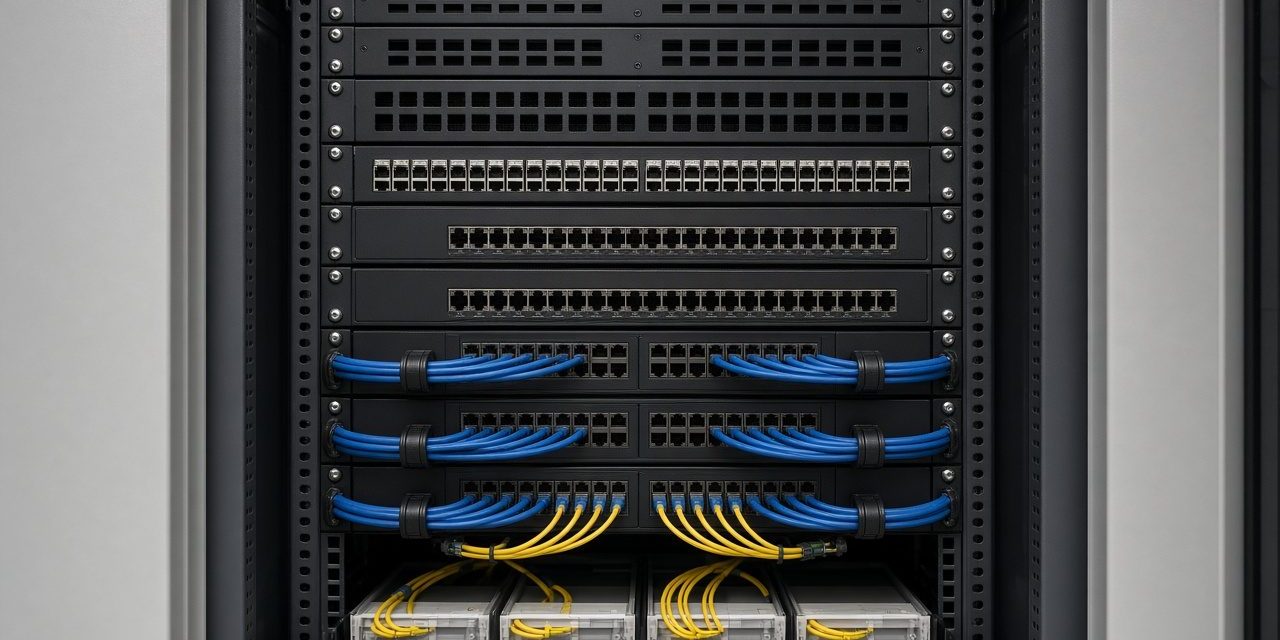
A managed switch is what lets you separate cameras from the office and see which port went down. PoE (power over Ethernet) feeds cameras, readers, and access points from the switch, so those devices do not each need a power adaptor in the ceiling. The rack holds the patch panels, the switches, and the cable management that keeps a change from becoming a tangle. Wireless belongs in the same design: access points are just more outlets, placed for the rooms, not sprinkled after the furniture arrives.
PSS routes, terminates, tests, and labels every link, and leaves as-built documents so the next camera or reader has an obvious port. That paperwork is the difference between a network you can extend and a ceiling full of unknown cable.
Practical network design and test notes
- Calculate PoE and uplinks. Sum the peak power of cameras, readers, and access points, then check switch budget, uplink capacity, and the effect of a failed uplink.
- Separate traffic deliberately. VLANs, access rules, management addresses, and a documented routing policy keep camera streams and building controls from becoming an open office segment.
- Test the installed link. Copper certification and fibre-loss results prove the cable. A link light proves only that two devices can see each other right now.
Handover should include rack elevations, patch-panel labels, switch configuration backups, IP and VLAN schedules, PoE budgets, fibre core maps, test reports, and the location of the UPS. The next technician should be able to trace a camera from its image to its wall outlet without unplugging a live service.
Common problems and how to fix them
A camera reboots every afternoon
The PoE budget of the switch is used up, or the cable is too long and the voltage at the camera sags when the infrared comes on. Move the camera to a switch with budget left, or shorten the copper run. It is rarely “a bad camera”.
Nobody knows which patch lead is the gate
The links were never labeled, or the labels do not match the drawings. A tested and labeled panel is part of the installation, not a favour. Without it, every fault starts with unplugging things.
The office is slow whenever the cameras are viewed
Live video and file shares are on the same path with no separation. Put cameras on their own network, and view them through a recorder rather than opening every camera from a desk.
Frequently asked questions
Is fiber always better than copper?
Fiber wins on distance and on interference. Copper wins where the device needs power on the same cable, which is most cameras and readers. A normal site uses both.
What does “tested” mean?
Each copper link is measured against the category it was sold as, and each fiber link is checked for loss. A lamp that lights at the far end only proves a connection, not a good one.
Can the CCTV and the office share a rack?
Yes. Sharing a rack is normal. Sharing one flat network, with no record of which port is which, is how both systems become hard to fix.
Talk to PSS about the backbone
PSS designs and installs structured cabling, switching, and racks for cameras, access, BMS, and the office. Contact the PSS team to book a first site survey.
